Table of Contents
When you take out a loan, the monthly payment is only one part of the real cost. A loan can look affordable because of a low monthly payment, while the total interest paid over several years can be significantly higher.
That is why a proper loan calculator should show more than just the monthly payment. You should be able to see the interest, total repayment, loan duration, and how the balance changes over time.
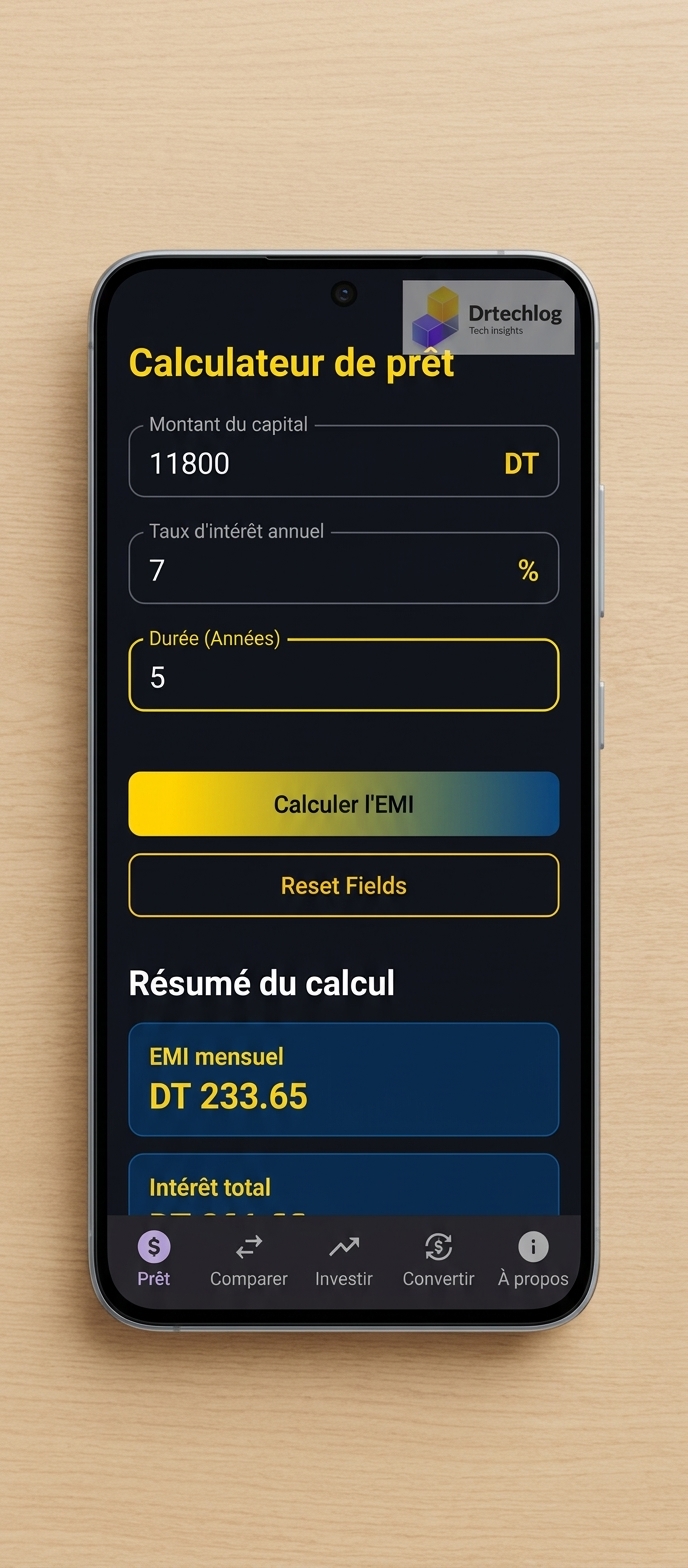
In this guide, we will explain how loan payments are calculated, how to understand an amortization schedule, how to compare two loans, and how an Android financial calculator such as FinCalc Pro can simplify the process.

What Is a Loan Calculator?
A loan calculator is a financial tool that estimates the cost of borrowing money based on several variables.
The most common inputs are:
- Loan amount
- Annual interest rate
- Loan term
- Payment frequency
From these values, a calculator can estimate:
- Monthly payment
- Total amount paid
- Total interest
- Principal repayment
- Interest paid over time
- Amortization schedule
This is useful before applying for a loan because changing the loan amount, interest rate, or repayment period can significantly change the final cost.
How Is a Monthly Loan Payment Calculated?
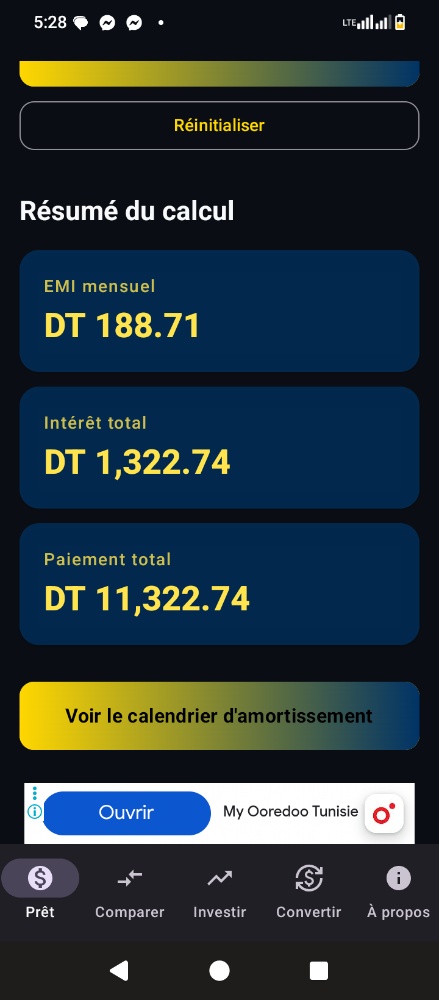
For a standard fixed-rate amortizing loan, the monthly payment can be calculated using the following formula:
M = P × r × (1 + r)ⁿ / ((1 + r)ⁿ − 1)Where:
- M = Monthly payment
- P = Principal loan amount
- r = Monthly interest rate
- n = Total number of monthly payments
The annual interest rate must first be converted into a monthly rate. For example, an 8% annual rate corresponds to approximately: 8% ÷ 12 = 0.6667% per month.
Example: $10,000 Loan at 8% for 3 Years
Suppose you borrow:
- Loan amount: $10,000
- Interest rate: 8% annually
- Loan duration: 3 years
- Payments: Monthly
Using the standard amortization formula, the estimated monthly payment is approximately $313.36 per month.
Over 36 monthly payments:
- Total repayment: $11,281.09
- Estimated interest paid: $1,281.09
Key Insight: This example demonstrates why looking only at the monthly payment can be misleading. The borrower does not simply repay $10,000; the interest adds an additional cost over the life of the loan.
What Is an Amortization Schedule?
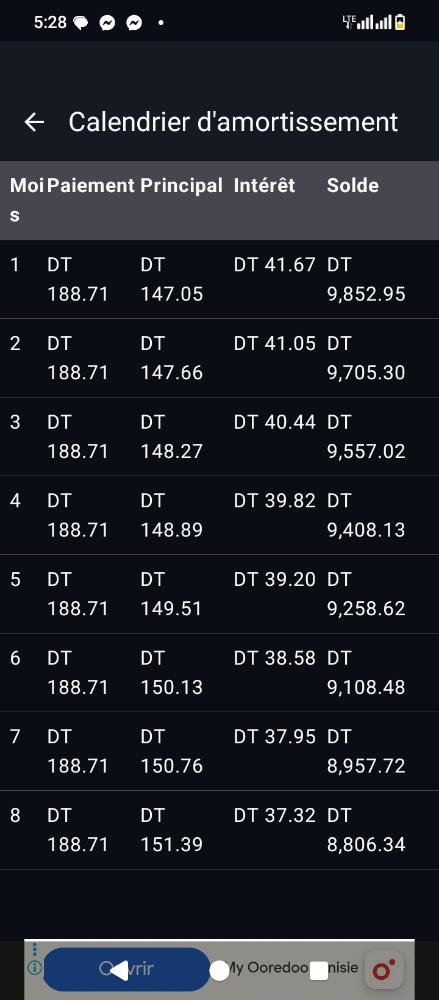
An amortization schedule breaks a loan into individual payments. Instead of showing only the monthly payment figure, an amortization schedule details what happens during each payment period—separating the principal portion from the interest portion and tracking the remaining balance.
At the beginning of an amortizing loan, the interest component represents a larger share of the payment. As the outstanding principal decreases, the interest charged on that balance generally decreases as well.
Why You Should Compare Loans Instead of Monthly Payments

Imagine two lenders offer you different loan terms:
- Loan A: Lower monthly payment, longer duration.
- Loan B: Higher monthly payment, shorter duration.
Looking only at the monthly payment could make Loan A appear cheaper. However, a longer repayment period often results in more total interest being paid. A proper comparison should examine the monthly payment, interest rate, duration, total interest, and total repayment.
Beyond Loans: Investment and Compound Interest
Financial planning does not stop with borrowing. The same principles of calculating interest are important when saving or investing. Compound interest means that returns generate additional returns over time.

A simplified compound-interest formula is:
A = P(1 + r/n)ⁿᵗExample Scenario: If you start with an initial investment of $10,000, contribute $200 monthly at a hypothetical 8% annual return for 10 years, the projected value reaches approximately $58,786 (with $34,000 contributed and $24,786 earned in interest).
One Android App for Multiple Financial Calculations: FinCalc Pro
Instead of using separate spreadsheets or different websites for every calculation, FinCalc Pro brings essential financial tools together on Android:
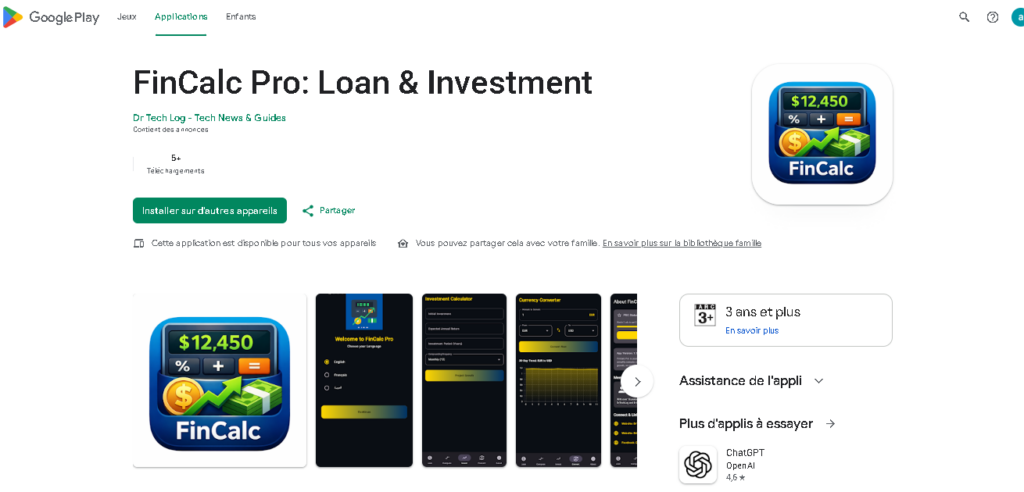
- Loan & Mortgage: Calculate estimated monthly payments and analyze repayment scenarios.
- Loan Comparison: Compare two different loan scenarios side by side.
- Amortization: Review repayment progression month by month.
- Investment Planning: Explore compound-interest and long-term growth scenarios.
- Currency Conversion: Convert between more than 150 currencies with 30-day exchange rate trend graphs.
FinCalc Pro features a modern Material 3 interface, dark mode support, and full localization in English, French, and Arabic (with RTL support).
👨💻 About the Author & Site Owner
This technical guide was written, verified, and published by Chiheb Driss, Founder and Lead Editor at DrTechLog (drtechlog.com). Dedicated to providing accurate, tested, and practical solutions for developers, AI users, and tech enthusiasts. Every article on this platform undergoes hands-on validation to ensure absolute reliability and value.
Published by Chiheb Driss | DrTechLog Editorial Standards.
❓ Frequently Asked Questions (FAQ)
Q: What is the best way to calculate a monthly loan payment?
For a standard fixed-rate amortizing loan, you can use the standard loan-payment formula or a dedicated financial calculator app like FinCalc Pro that performs the calculation automatically.
Q: What is an amortization schedule?
An amortization schedule shows how each loan payment is allocated between principal and interest, and how the remaining balance changes over the repayment period.
Q: Does a lower monthly payment mean a cheaper loan?
Not necessarily. A longer repayment period can reduce the monthly payment while significantly increasing the total interest paid over time.
Q: Does FinCalc Pro support multiple languages?
Yes. FinCalc Pro is localized in English, French, and Arabic, featuring native right-to-left (RTL) support for Arabic users.